
A good Instagram username is short, tied to your niche and easy to remember: start from your first name or a nickname, add a word that says what you post, and check it's free across all your networks. Here's the complete method plus 60+ ideas sorted by niche and by style.
The method in 4 habits
Before digging into the lists, keep these four habits in mind, they make the difference between a username people remember and one they forget.
- Start from your niche + your first name. Pair what you post with your identity:
mia.skincare,tom.builds,lea.travels. It's recognizable and instantly says what your account is about. - Keep it short and readable. A username gets typed by hand and dictated out loud. Avoid random numbers (
xx_julie_2207_xx), strings of underscores and deliberate misspellings that make you impossible to search for. - Check availability everywhere. Reserve the same name on Instagram, TikTok and YouTube. Cross-network consistency helps your audience find you and strengthens your brand.
- Test it out loud. If someone can't write it from memory after hearing it, simplify. A username also travels by voice, in a story or a video.
If you're just starting out on social to recommend products, here's the thing almost nobody mentions while you're picking a name: Instagram gives you exactly one clickable link, the one in your bio. And your handle becomes your address everywhere: instagram.com/yourhandle, your links page (spotilink.bio/yourhandle, without the dot, the custom URL is free), your media kit. A short, clean handle today saves you an ugly link tomorrow, when every click can turn into affiliate commission.
Your username is your brand. The clearer and more consistent it is across your networks, the more easily your audience finds you, and the harder your link in bio works for you when people search your name.
30+ username ideas by niche
These examples are templates to adapt with your first name: swap the generic part for what fits you. The point is to show you structures that work, not to copy them as-is.
| Niche | Example structures |
|---|---|
| Beauty & skincare | mia.skincare, glow.bylea, skinbymia |
| Lifestyle & everyday | slowdays.bynina, sophiesjournal, cosy.bymanon |
| Tech & gadgets | tom.builds, maxs.tech, setup.bynoah |
| Travel & adventure | lea.travels, zoes.backpack, horizon.bynoa |
Beauty & skincare
This is the niche where a username turns into a brand fastest: plenty of beauty creators end up launching a line of their own. So before you fall for a coined name like skinbymia, run the triple check: handle free, domain free, and not already a registered trademark (the USPTO search is free, or check your country's registry). Favor routine and ingredient words over promises too, perfectskin puts you on trial in every photo.
mia.skincareglow.byleajades.routineclara.beautynotesmanons.tipsskinbymia(first name + skin wordplay)ingredients.bylucysarahsmirror
Lifestyle & everyday
Lifestyle is the widest bucket on this list, and the only place where a slightly vague name works in your favor: sophiesjournal lets you post interiors one month and travel the next without your handle ever lying. The cost is length: the last name in the list below runs to twenty-one characters, lovely to read and a pain to dictate. Keep that charm, halve the letters.
lifein.color.byjulieslowdays.byninasophiesjournalhome.andleamaries.dayscosy.bymanonaurelie.athomeninas.littletreasures
Tech & gadgets
The gear turns over every eighteen months, you don't, so a handle built on one device dies with that device. Name the gesture rather than the object: lucas.unboxes and tom.builds outlive three generations of phones, while a handle carrying this year's model ages the day the next one ships.
tom.buildspixel.byhugothomas.gadgetslucas.unboxesmaxs.techsetup.bynoahclick.byleojules.geekery
Travel & adventure
The trap here is locking a country into the handle. lea.travels follows you anywhere, lea.inthailand follows you for six months, and renaming the account when you come home means restarting right after you finally built an audience. Put the current destination in your display name and your bio instead, both of which you can change at every departure.
lea.travelswander.notesontheroad.withcamillezoes.backpackmaries.getawayshorizon.bynoatravel.andlenschloes.detours
Food & cooking
A dish in the handle is a menu that never changes: toms.table covers every meal of the week, while toms.cakes locks you into dessert the day you want to post a starter.
maries.kitchenrecipes.byjuleslous.treatshealthy.byemmatoms.table
Fitness & sport
A number in a fitness handle comes with an expiry date: goal10k stops being true the day you get there, and stings every day you don't.
fit.withsarahcoachlea.movehugos.goalsmaxs.sessionsrunwithnoa
Gaming
You almost certainly have a handle already, on Twitch, Discord or in the game itself. Reuse it as-is rather than inventing a prettier one for Instagram: your audience searches for the name it sees on screen, not the one you find elegant.
controller.byleojules.streampixelplay.bytomlous.gamingnocturne.gaming
Parenting & family
A handle built on your child's first name is a decision you're making on someone else's behalf, and it will still be online when they turn fifteen. Your own name, or a word that says family without naming anyone, ages better.
mum.andleaninas.everydaylittleones.andussolodad.tommaries.tribe
Finance & budget
In finance, your handle affects your credibility before your first post: anything that sounds like a promise (easy.money, winning.trades) draws the wrong questions and scares serious brands off. Your method makes a far better handle, budget.byclara says what you do without guaranteeing anyone anything.
budget.byclaraeasy.savingsjules.moneyinvest.withleamymoney.simple
Fashion & style
Fashion handles get read, not typed: yours sits in the corner of an outfit reel for about two seconds, so it has to survive a glance. That rules out three-word handles, mixed separators and trend names: y2k.lou dates the moment the trend does, while lea.wears still fits in five years.
outfits.byemmalea.wearsthrift.bymanonstyle.diary.lounoas.closet
Art & creative
Your handle ends up being your signature: it goes on the work, on the shop, on the invoice for a custom piece. Pick one you're happy to write out by hand a thousand times, which usually means shorter than your first idea.
sketch.byleastudio.noamira.drawsdaily.doodlesart.byhugo
Photography
Photographers get credited in other people's captions, and a credit only works when it's typed correctly. Handles that stack numbers next to dots (35mm.diary) look sharp on your own profile and get mangled in someone else's repost, so weigh that before you commit.
frames.bytomlea.shoots35mm.diarylight.bynoacapture.bymax
Books & reading
Reading has its own naming conventions (.reads, .shelf, bookish.), and this is the rare niche where following the convention helps: readers browse and search those exact endings to find new accounts, so blending in beats standing out.
pages.byloumias.shelfread.withclarabookish.emmachapters.bynina
Music
If you release anything at all, match the handle to your artist name on streaming. People hear a track first and search that exact name second, and a gap between the two costs you the follow.
sounds.byleotom.playsdaily.vinyllea.onloopstudio.bynoa
Pets & animals
These accounts get named after the animal, which works beautifully until you adopt a second one. adventures.ofluna ties the account to one pet, noas.pawprints ties it to you, and only one of those still makes sense in five years.
life.withmilonoas.pawprintsdaily.doggocat.andleaadventures.ofluna
The username is only a starting point: for the overall strategy, see our Instagram & TikTok guide for creators. And to turn that account into a community, we break down the concrete levers in our article on gaining Instagram followers.
Username ideas by style
Same name, different vibe, pick the style that matches how you want to come across:
- Aesthetic / soft. Lowercase, a single dot, gentle words:
soft.lea,bloom.diary,quiet.mornings. Popular in lifestyle, beauty and journaling. - One-word / minimal. A single memorable word, your name or a coined term:
leawild,studionoa,theluce. Clean and brandable if you can grab it. - Playful / pun. A wordplay on your name or niche:
brewtiful.mornings(coffee),sole.mate(running),lens.andlea(photo). Fun and sticky, just don't mangle the spelling. - Name-based / personal brand. Your real name plus a light tag:
lea.martin,itsleamartin,lea.creates. Best when you want your face and name to be the brand.
Quick rule: aesthetic and one-word names read as a brand, name-based names read as a person, choose the one that fits how you want brands and followers to see you.
The traps to avoid
A few mistakes come up often and cost a lot in memorability:
- Too many numbers.
_emma_07_xis impossible to dictate and looks amateur. - A username that's too narrow. If you choose
mia.makeupbut want to talk about lifestyle too in six months, you box yourself in. A slightly broader name ages better. - A name that's already overused. If ten accounts carry a variant of yours, you'll get confused with them. Search first, choose second.
- Deliberate misspellings.
bütifulorskincrebreak search: people can't find you anymore by typing the correct word.
How to check a username is available
Before getting attached to an idea, make sure it's free. The simplest method: type the username into Instagram's search bar. If no account carries exactly that username, there's a good chance it's available. The final confirmation comes at signup or in Edit Profile: Instagram immediately warns you if the handle is already taken and sometimes suggests variants. Remember to extend your check to TikTok and YouTube: reserving the same name everywhere protects your brand identity and stops a namesake from capturing your reputation elsewhere. If your first choice is taken, a clean variant (a prefix like the, by, at) beats a tacked-on string of numbers.
How to change your username
You can change your username at any time, without recreating an account or losing your followers. Go to your profile, open Edit Profile, tap the "Username" field and enter the new handle; if it's available, the change is immediate. Two precautions, though: warn your audience (in a story and in a post) so people don't think you've vanished, and update your link in bio along with anywhere your old handle is cited. Don't change your name too often: stability is part of what makes an account recognizable.
Once the username is chosen: centralize everything
Your username brings people to your profile, but it's your link in bio that turns that visit into a useful click. Rather than a single stray link, gather your recommendations, your promo codes and your affiliate links in one place. That's exactly what Spotilink's link-in-bio page lets you do: a single showcase, in your name, behind your Instagram and TikTok username.

Helena Yung
Beauty & Lifestyle
My favourite
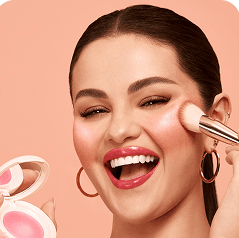
Rare Beauty
Soft Pinch Blush
« My holy grail »
My skincare routine
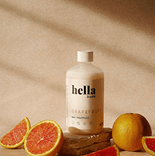
Hella
Grapefruit
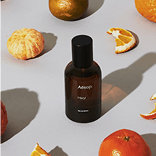
Aesop
Mandarin
Dosage
Coffee
My essentials


Poll
Your skincare routine?
The advantage of a consistent username and a central page: when people search your name, they land on your account, then on a page that clearly presents your recommendations, with no scattering.
In summary
A good Instagram username is short, tied to your niche, readable and available everywhere. Start from your first name, add a word that says what you post, test it out loud, and reserve it across your networks. Adapt the ideas above to your identity, then funnel your audience toward a clear link-in-bio page so your name works at full strength.