Is Linktree free? Short answer: yes, and not just as a limited trial. You can build a page, add unlimited links and put it in your bio without ever entering a card number. But "free" comes with real edges, and if you're a creator who recommends products rather than just linking out, those edges show up fast.
That question, "is Linktree free," usually hides a second one: free enough for what? A student sharing three social profiles and a creator pushing dozens of affiliate links every week hit very different walls on the same free plan. Here's exactly what the free plan includes, what actually costs money, and a truly free alternative built specifically for affiliate recommendations rather than a stack of buttons.
Is Linktree free? The short answer
Yes. Linktree's free plan is a real, permanent tier, not a time-limited trial you get pushed off after 14 days. You get:
- Unlimited links on your page
- A basic customizable theme (colors, a profile photo, a bio)
- Your own Linktree bio link to drop into Instagram, TikTok or wherever
- Basic click analytics
That's enough for plenty of people whose only need is "collect my links in one place." Notably, the link count itself isn't the limiter, you won't hit a wall for adding a 20th or 50th link on free. Where it gets more complicated is everything just outside that basic list.
What the Linktree free plan includes
Beyond the basics above, the free plan also collects email and phone sign-ups from your visitors and gives you a QR code for your page, both listed on Linktree's pricing page as read from France on October 28, 2026. One thing to know before you build on it: according to Linktree's help centre, its app and admin are English only. It's genuinely usable as a starting point, and a lot of small creators never leave it.
What it keeps, though, is the Linktree logo on your page. Every free-tier link-in-bio tool has to make money somewhere, and branding is the lever most of them pull first, it costs the company nothing to leave on, and it doubles as free advertising for Linktree itself every time someone taps through your bio.
What costs money on Linktree
The paid tiers, Starter, Pro and Premium, sit on top of the free base and unlock, roughly in order of what creators ask for first:
- Removing the Linktree logo from your page (Pro)
- Longer analytics history and more detail (28 days on Free, 90 on Starter, a year on Pro, all time on Premium)
- Scheduled links (from Starter)
- More advanced customization (custom designs on Pro)
- Selling digital products, courses and bookings at a price: "free products only" on Free and Starter, "set any price, 0% Linktree fees" on Pro and Premium in the feature table of its pricing page, with transaction and processing fees that may apply; its help centre also says selling is available on Pro and Premium (October 2026)
As shown from France, in euros, Linktree's pricing page showed Starter at €6.75 a month (€5.25 billed annually), Pro at €15 (€12) and Premium at €32 (€27.50) on October 28, 2026. Linktree adapts price and currency to your country, so check the page for yours.
The rows below come from the "All Features" table of Linktree's pricing page, as of October 2026; for the QR code, Linktree's help centre (How to create your QR code) also says customization is for Starter, Pro and Premium.
| Free | Paid tiers | |
|---|---|---|
| Unlimited links | Yes | Yes |
| Basic theme & bio link | Yes | Yes |
| Featured links | 1 | Unlimited, from Starter |
| Copyable promo code (Discount Code Link App) | Yes | Yes |
| Email and phone sign-ups | Yes | Yes; mailing-list integrations from Pro |
| QR code | Yes (download) | Yes; color and logo customization from Starter |
| Individual link insights | No | Yes, from Starter |
| Advanced themes | No (free themes only) | Yes, from Pro |
| Data export | No | Premium only |
| Linktree branding removed | No | Yes, from Pro |
| Analytics history | 28 days | 90 days, a year on Pro, all time on Premium |
| Scheduled links | No | Yes, from Starter |
| Selling digital products and courses at a price | No: free products only | Free products only on Starter; any price on Pro and Premium, 0% Linktree fees, transaction and processing fees may apply |
That last row is the one worth reading twice: if you want to sell your own product through Linktree's store, the free plan is not enough, selling at a price starts at Pro. That's the detail people searching "does Linktree cost money" usually haven't found yet.
"Free" with an asterisk: where creators hit the wall
The free plan holds up fine for a personal bio link. It starts to strain for a specific kind of creator: someone whose job is recommending other brands' products, beauty, lifestyle, tech gear, with affiliate links and promo codes.
Two things bite here. First, the format: Linktree's free tier is a vertical list of buttons. A button labeled "Shop my faves" doesn't do much persuading on its own, no photo, no context, no reason to trust the recommendation beyond the label. Second, the branding: your bio page is carrying someone else's logo, at the exact moment you're asking your audience to trust your taste.
Neither of those is really about price. You could pay for Linktree Pro, remove the logo, unlock the deep analytics, and still end up with a page built around plain buttons rather than product cards, because Pro upgrades the tier, not the underlying format. If a bare button labeled with a brand name has never been the thing that convinced you to buy something, that's the gap a recommendation-first tool is trying to close.
Spotilink is not the only way out, and the honest move is to compare before you switch: we lined up seven options by use-case in our roundup of the best Linktree alternatives, including which ones are free forever rather than trial-only.
A truly free alternative for affiliate creators: Spotilink
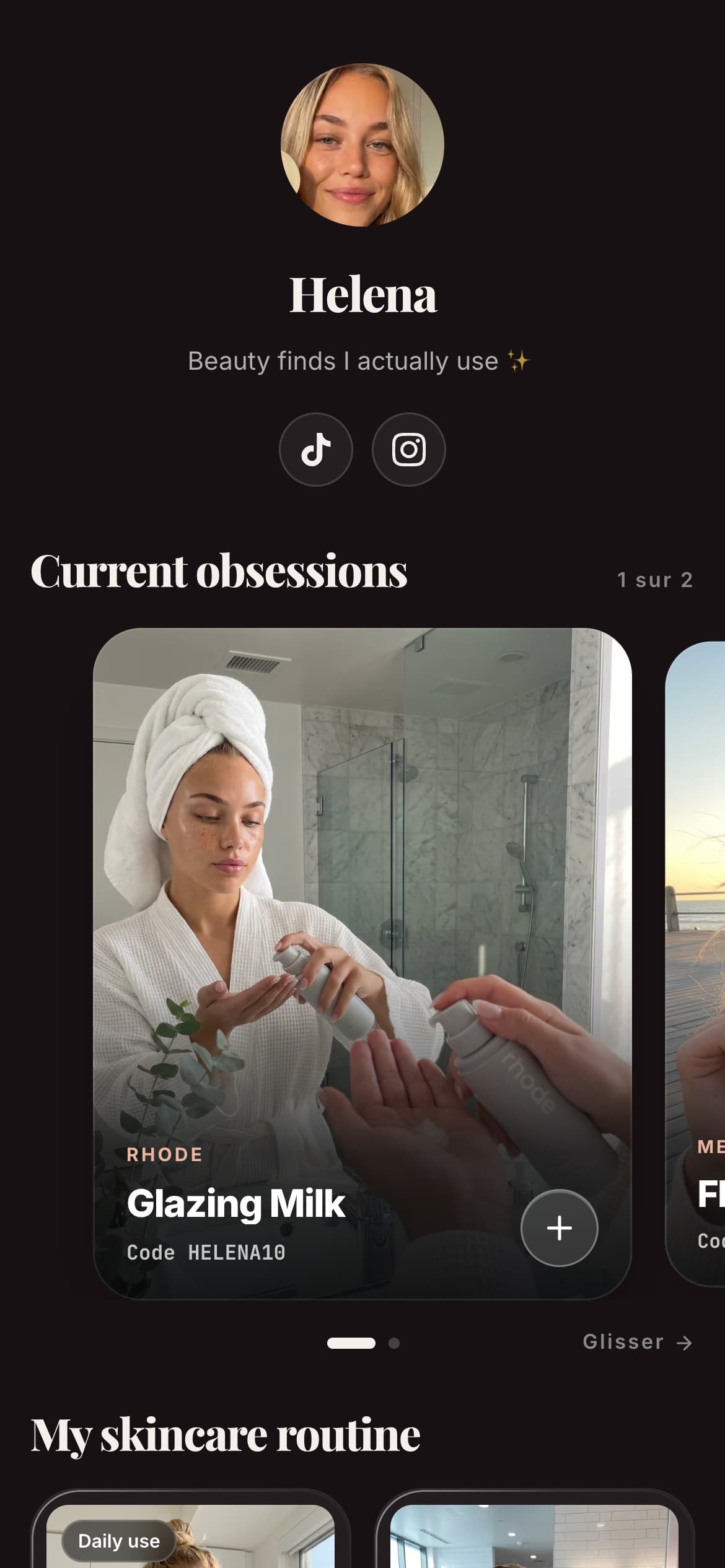
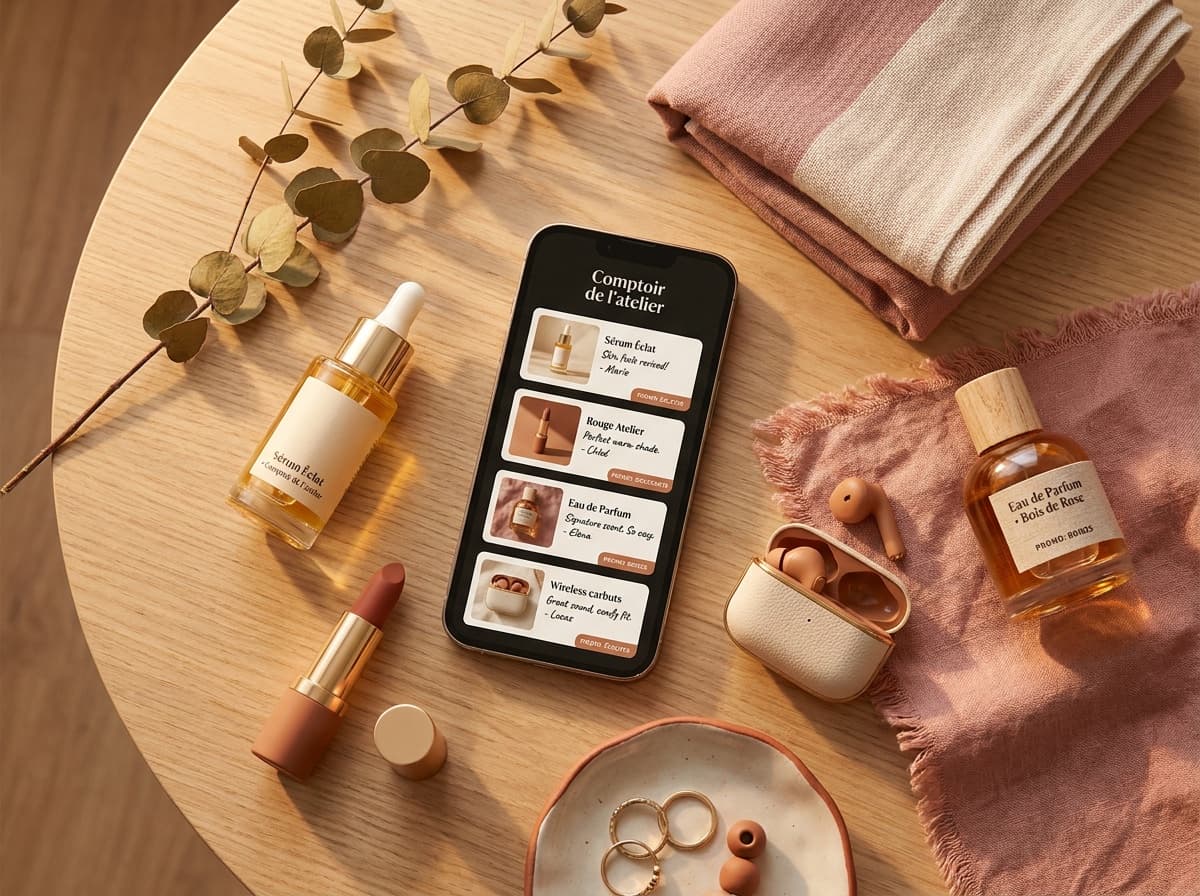
Spotilink's free plan is also genuinely free indefinitely, not a trial, and it's built around a different unit than a button: a product card. Each card carries your own photo, your honest take, a click-to-copy promo code and your affiliate link, deliberately with no price shown, so the card's whole job is earning a qualified click to the merchant rather than looking like a price list.
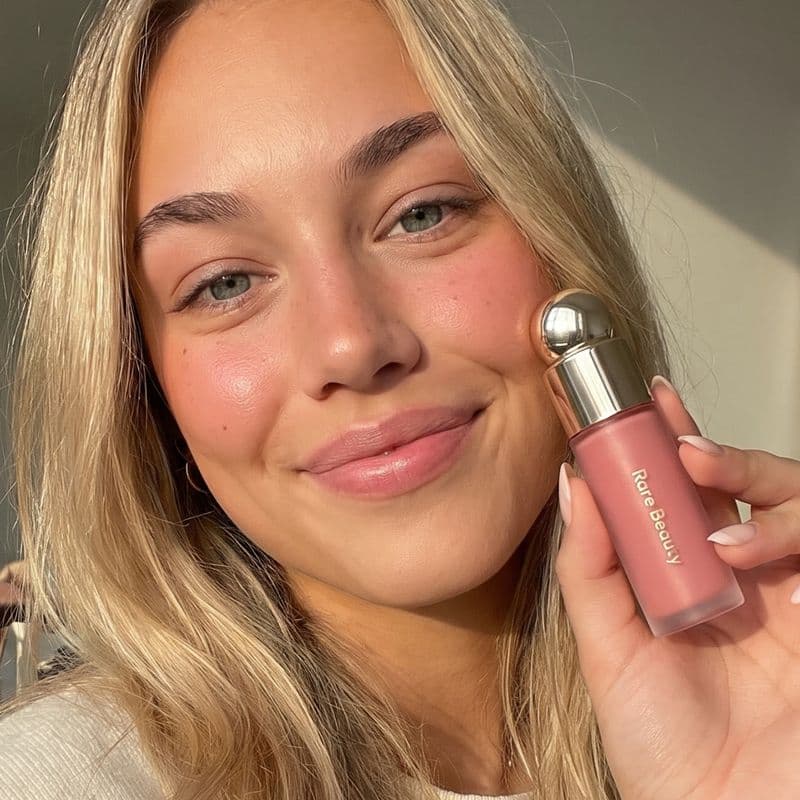 -10%
-10%Rare Beauty
Soft Pinch Blush
“My everyday blush, one sweep and it lasts all day.”
The free plan gives you 10 product cards, a custom URL, and basic click stats. Like Linktree free, it keeps a small "Created with Spotilink" watermark, that's the trade-off that funds the free tier, not something either tool hides. Upgrading to the Creator plan (see the pricing) removes the watermark, unlocks unlimited cards, paid brand collabs and deeper insights (click-through rate, conversion, monthly growth).
Picture a skincare creator with eight go-to products they recommend on repeat. On a Linktree free page, that's eight identical buttons labeled with brand names, indistinguishable from each other until someone taps through. On a Spotilink free page, each of those eight is a card: the creator's own photo of the product, a line on why they use it, a click-to-copy promo code, and the affiliate link, still well inside the 10-card free cap. Same number of products, a page built to actually sell the recommendation rather than just list it.
Where the free plans genuinely diverge: Linktree's free tier is a branded list of buttons; Spotilink's is a branded set of recommendation cards built for affiliate creators specifically, your photo, your take, your promo code, all pointed at your own affiliate link, with 0% commission on your affiliate earnings either way, free or paid. Both track clicks only, never sales figures or euro amounts.
The real difference isn't the free tier, it's the cut on earnings
Once you're past the free-vs-paid question, the number that actually matters for an affiliate creator is what happens to money you're already earning. Linktree's built-in store is not where an affiliate creator's money flows. For digital products and courses, Linktree's pricing page allows free products only on Free and Starter, and "set any price, 0% Linktree fees" on Pro and Premium, with a footnote that transaction and processing fees may apply (Monetization section of its feature table, read October 28, 2026). Its help centre agrees that selling digital products needs a Pro or Premium plan. Ordinary affiliate links pay nothing to either tool, so the real difference is the format of the page, not a fee. None of this touches external affiliate links. Spotilink doesn't run a store at all, it drives clicks to your existing affiliate links, and takes 0% of your affiliate commissions on either plan, free or Creator. The commission that matters here is strictly what the brand pays you for the sale, never a cut Spotilink itself takes, and the metric Spotilink shows you is clicks, never a sales total or a euro figure.
Add an account and content stored in the EU (the site itself is hosted by Vercel, in the US), and a Creator plan that's priced under Linktree Pro while staying unlimited on cards, and the gap isn't about which tool has a free plan (both do), it's about what each one is optimized to do with the traffic you send it. If pricing across the category is what you're weighing, see the full plan breakdown alongside the free tier.
Which free plan fits you?
- You just need one link that fans out to several others (your latest video, your shop, your other socials) → Linktree's free plan covers that fine, and there's no reason to switch just for switching's sake.
- You recommend products with affiliate links and promo codes, and want the page itself to help convert → a card-based free plan like Spotilink's is built for that job specifically, the format does part of the persuading a plain button can't.
- You want both, a general link hub and a dedicated product-recommendation page → nothing stops you running one for general links and the other for affiliate recommendations; they solve different problems.
- You're not sure yet → both are free to try, so building a page on each and comparing how your own links look is the fastest way to decide. Here's a fuller side-by-side if you want it: best Linktree alternatives.
If you're still deciding whether Linktree itself is the right starting point, what Linktree is and how it works covers the basics before you compare alternatives.
Start free in 15 minutes
Both Linktree and Spotilink let you start for free today, with no trial clock running out. The honest takeaway is that "is Linktree free" has a simple yes for an answer, the harder question is which free plan is actually built for what you do with it. If your bio link's job is turning recommendations into affiliate clicks rather than just listing links, building your first product cards takes about 15 minutes, and you'll know within your first ten cards whether the format fits.