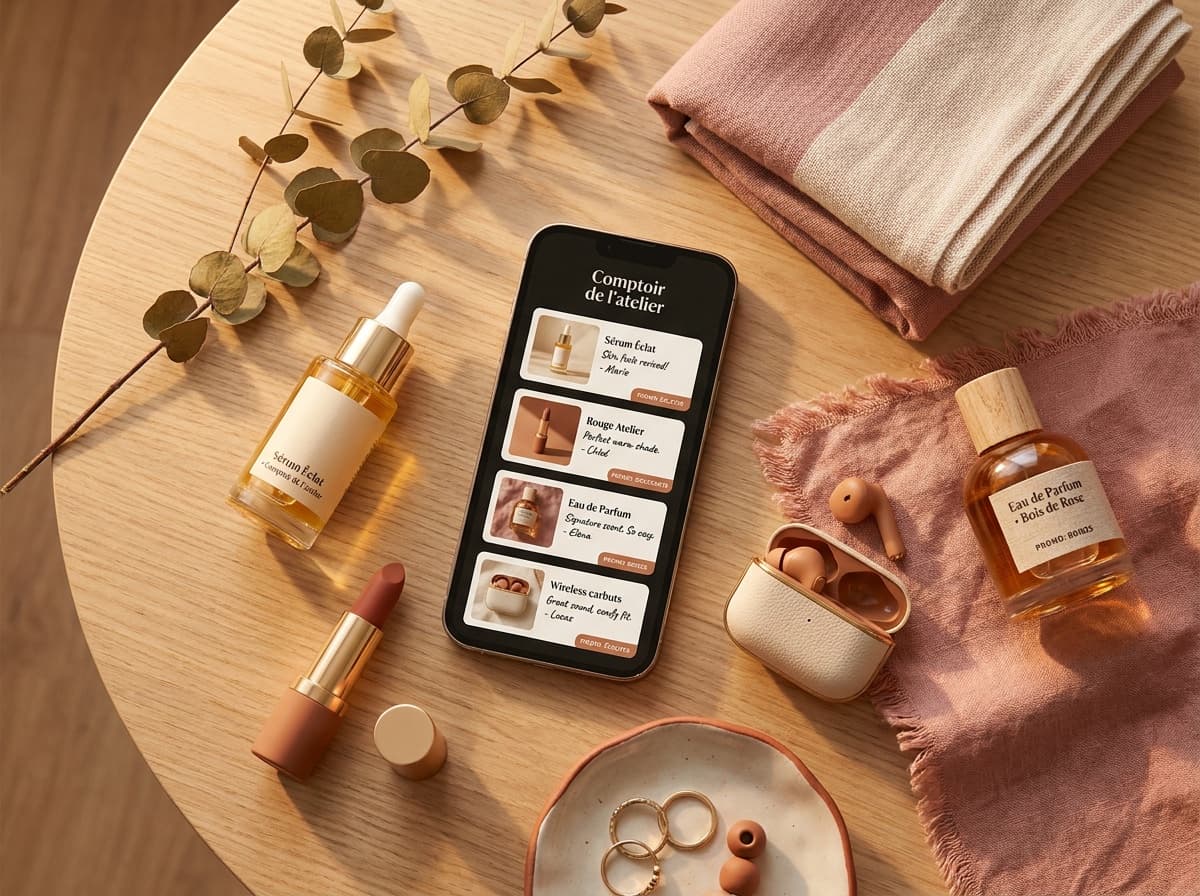
A link in bio is the single clickable link you place in your Instagram or TikTok biography, pointing to a page that gathers all your destinations. Since these networks allow only one link, this page becomes your entry point: products, recs, other socials. This guide explains what a link in bio means, why these networks allow only one link, and, most importantly, what to put in your link in bio so it's actually useful to your audience.
What a link in bio is, concretely
On Instagram as on TikTok, you can only paste one clickable link in your bio. If you want to send your audience to several places, a store, an affiliate product, your YouTube channel, another social network, you're stuck.
The workaround: put a link in your bio that points to a "link in bio" page which, in turn, gathers all your links in one place. That's the principle tools like Linktree popularized. For the detailed definition, we explain it here: what "link in bio" means.

Helena Yung
Beauty & Lifestyle
My favourite

Rare Beauty
Soft Pinch Blush
« My holy grail »
My skincare routine
Hella
Grapefruit

Aesop
Mandarin
Dosage
Coffee
My essentials


Poll
Your skincare routine?
A link-in-bio page is a real mini-site
The instinct is to see the link in bio as a simple list of buttons. In reality, your page can be a mini-site: a small space you fully control, with your profile, your photo, your bio, themed sections and as many clickable links as you want. Unlike your Instagram profile, you're no longer limited to a single URL or 150 characters, you build a real storefront.
This multi-link page becomes the hub of your creator universe. You point to it from all your platforms, which is why it pays to keep the same address everywhere (Instagram, TikTok, YouTube, X…) so your audience builds the habit of coming back.
What to put in your link in bio
The most common question, once the page exists, is simply: what do you put in a link in bio? A useful page isn't an exhaustive dump of every URL you own, it's a short, hierarchy-driven selection of what your audience actually came for. A solid starting point:
- Your priority of the moment, your latest video, a product you're recommending right now, an ongoing collab. Put it first, big and visible.
- Your recommendations, the products, apps or brands you stand behind, ideally as cards with your take and a promo code rather than bare links.
- Your other platforms, your YouTube, your second account, your newsletter: the destinations you want your audience to follow.
- A clear call to action, one short sentence telling the visitor what to do ("👇 My recs & promo codes"), instead of a silent wall of buttons.
The rule of thumb: 2–3 priorities highlighted, the rest tidied into sections. A page that tries to show everything ends up converting on nothing.
Why only one link in bio on Instagram and TikTok (and why it's an opportunity)
Instagram and TikTok deliberately limit the bio to a single clickable link to keep people inside the app. As a creator, it's frustrating, but it's also a chance: it forces you to concentrate all your traffic onto a single page you control.
That page is your real asset. You can design it, reorganize it, measure what works, without depending on the algorithm. The more polished it is, the more each visit is worth.
How to put your link in bio
The mechanics are the same everywhere:
- Create your link-in-bio page (with a tool like Spotilink) and grab its URL.
- Open your profile on Instagram or TikTok and go to "Edit profile".
- Paste the URL into the "Website" / bio link field, then save.
The details differ slightly by network. We cover them step by step:
- put a link in bio on Instagram
- put a link in bio on TikTok
- edit your Instagram bio (to fine-tune the text around the link)
One detail that wins clicks: add a call to action just before the link in your bio, like "👇 My recs & promo codes". The link alone doesn't invite a click; a sentence does.
Link in bio on mobile or desktop
Most creators manage everything from their phone, and nearly all of your audience discovers you on mobile (the traffic comes from the Instagram and TikTok apps). But you can also edit your profile and paste your link from a computer, via Instagram's or TikTok's website, often more comfortable for writing your bio or organizing your page calmly.
Whatever the device, the result is identical: a single clickable link under your bio. Just remember to check how it looks on mobile, since that's where the vast majority of clicks happen.
List of links vs recommendation storefront: the real difference
This is where it all plays out. Most link-in-bio pages are nothing but a list of stacked blue links. It works, but it doesn't convert strongly: the visitor doesn't know why to click.
If you do affiliate marketing, the stakes change: you want people to click through to the merchant's site. A plain list of naked links gives no reason to do so. A recommendation storefront does.
Link list
- My favorite serum
- Sephora promo code
- My YouTube channel
- My Vinted closet
The visitor doesn't know why to click.
Recommendation showcase
Rare Beauty
Soft Pinch Blush

Aesop
Glow serum
Every card gives a reason to click → more qualified clicks.
Concretely, instead of a link "My favorite serum →", you create a card: your photo of the product, your honest take in one sentence, your promo code in one click, and the affiliate link. The visitor grasps your rec at a glance and clicks far more often, so more qualified clicks to the merchant's site, and more commissions for you.
-10%Rare Beauty
Soft Pinch Blush
“My must-have blush: one swipe and it lasts all day.”
For example, depending on your niche:
- Beauty: your favorite cream + your exclusive discount code
- Lifestyle: your dream restaurant + your partner link
- Tech: your gadget of the month + your brand affiliation
This is exactly what Spotilink lets you build: a link-in-bio page designed as a recommendation storefront, where you compose each card by hand (your photo, your words, your code, your link) and where you keep 0% commission on your affiliate links (5% + fees for collabs settled via Spotilink secure payment). The cards deliberately show no price: their only goal is to push the visitor toward the merchant's site.
So what is Linktree, then?
Linktree is the category's original tool: it's used to build a link page to put in your bio. It's solid to get started, and the tool has evolved a lot (product cards, promo codes, free analytics). But it's just one of the ways to create a link in bio, not the concept itself.
To understand the tool and decide if it's right for you:
Which link-in-bio app to choose
There are many link-in-bio apps today, and the right choice depends on your goal:
- Linktree, the pioneer, ideal for quickly listing links. Generalist and English-first.
- Beacons and Snipfeed, monetization-oriented (digital products, tips), mostly built for the US market.
- Stan, popular among creators who sell courses and services.
- Spotilink, built for affiliate marketing: recommendation cards (photo, take, promo code) rather than plain buttons, and 0% commission on your affiliate links.
To choose, ask yourself three questions: do I just want to list links or recommend products? Is the tool right for my audience? Does it take a commission on my earnings? If you do affiliate marketing, a card-based page generally converts far better than a list of naked links.
Common mistakes to avoid
A few traps come up often and cost you clicks:
- The dead link: a badly copied URL, missing
https://, or a deleted page. Always check that your link opens properly after saving it. - The overloaded page: twenty links stacked with no hierarchy drown your message. Highlight 2-3 priorities, tidy the rest into sections.
- The link with no context: a "Click here" button gives no reason to click. Say what the visitor will find there.
- Constantly changing your address: if you switch tools or URLs too often, your audience loses track. Pick a durable page and keep it.
Where to start
If you're just beginning, the logical order is simple:
- Understand what "link in bio" means.
- Create your page and put it in your bio (Instagram or TikTok).
- Turn it into a recommendation storefront rather than a list of links.
The rest, choosing between Linktree and an alternative, polishing your bio text, comes next. But the right instinct from the start is to think of your page as a conversion tool, not a table of contents of links.