
Here's how to edit Instagram bio settings: open your profile, tap Edit profile, change the name, bio and website fields, then save. The bio is the short text under your name, the most-looked-at spot on your account.
Where to find your Instagram bio
Your bio sits on your profile page, right under your name and your follower stats. It's that little block of text (150 characters max) where you introduce yourself, with the clickable link below it. To get to it, tap your profile photo in the bottom right of the app.
How to edit your Instagram bio, step by step
- Open your profile: tap your profile photo in the bottom right.
- Tap "Edit profile": the button is under your name and your follower count.
- Spot the available fields: the Instagram editor brings together three useful zones, Name (in bold), Bio (the intro text) and Website / Links (your clickable link). Spot them before you start typing.
- Edit the fields: your name, the Bio field (the text under your name) and the Website / Links field for your clickable link.
- Save: tap "Save" or the checkmark in the top right. It's visible right away.
You can redo these steps as often as you want: changing your Instagram bio regularly (a new promo, a launch, a season) costs nothing and keeps your profile current. It's even a good habit for creators who do affiliate marketing.
The "Website" field only accepts one link. If you want to point to several products or networks, use a link-in-bio page that gathers them all behind that single URL.
If you're starting from scratch on the whole topic (where to paste the link, how to organize it, what to put in your bio), the complete link-in-bio guide walks through every step for Instagram and TikTok.
Making good use of your bio's 150 characters
The Bio field is limited to 150 characters: it's short, so every word counts. For a great bio, get to the essentials, who you are, what you bring, and a call to click your link. A few techniques to gain readability:
- Add line breaks to give it air: write your bio across several short lines rather than in one compact block. On mobile, tap "Enter" between each line; if the line break won't hold, draft your bio in the Notes app then paste it.
- Use emojis as bullets or to guide the eye (an arrow 👇 right before the link draws the click). Stick to two or three, otherwise it becomes unreadable.
- Keep a single promise: a bio that tries to say everything sticks with no one.
Instagram offers no native custom font, but you can paste styled characters from a generator if you want to stand out, without overdoing it, since some fonts read poorly for accessibility.
Adding line breaks to your bio
This is the step that trips most people up, and it isn't your fault: depending on your device and app version, hitting "Return" in the Bio field submits the form instead of starting a new line, or the break vanishes when you save.
The method that works every time: write your bio somewhere else, then paste it. Open your phone's Notes app, type your text with the line breaks you want, select all, copy, then paste into Instagram's Bio field. The breaks survive.
Two details that quietly break it:
- No trailing spaces. A line ending in an invisible space sometimes swallows the break. Strip them before copying.
- No double blank lines. Instagram handles two consecutive returns badly and often collapses them into one.
Worth asking before you bother: do you actually need them? A four-line bio isn't more readable than a two-line one if it says the same thing. Breaks earn their place when they separate who you are, what you offer and the call to action pointing at your link. Three short blocks beat six decorative lines, especially since you only get 150 characters and every break spends one of them.
Name and username: two different things
Don't confuse the name (the bold text, which you can fill with keywords: "Léa, Beauty & deals") and the username (your @handle, your unique identifier). You change the first in "Edit profile"; the second in the account settings. Changing your handle also changes your profile's URL, so do it sparingly.
What not to put in your bio
Space is the scarce resource here, so the fastest way to improve a bio is usually to delete rather than to write.
Three things routinely waste characters. Your own name repeated, when it's already displayed above in the Name field. A list of emoji with no words, which reads as decoration and tells a new visitor nothing. And an email address, which isn't clickable in the bio text and belongs in the contact button of a professional account instead.
What earns its place: who you are in a few words, what the visitor gets from you, and one clear pointer to your link. Everything else is negotiable.
Editing your bio from a computer
You can do everything from instagram.com: log in, open your profile, click "Edit profile" and adjust your name, bio and website fields. It's more comfortable for writing and proofreading your bio calmly before saving.
Writing a bio that converts into clicks
Editing your bio is easy. Making it click-worthy is the whole challenge. A few rules that work:
- Be clear in one line: who you are and what your audience gains by following you. No jargon.
- Add a call to action toward your link: "My recs right here 👇" or "All my promo codes ⬇️". The arrow guides the eye to the link.
- Keep a single promise: a bio that tries to say everything makes nothing appealing. Pick the angle that sets you apart.
- Put one useful link: the one that leads to your recommendation storefront, not a stray link to a single product.
For the detail of placing the link itself, we have a dedicated guide: add a link in bio on Instagram. And if you also post on TikTok, the process there is a little different, it's all explained in add a link in bio on TikTok.
The link that makes all the difference
An Instagram bio that converts isn't just a nice sentence: it's a bio that genuinely sends traffic to your link, and that link still has to keep its promise. If you send people to a brand profile or a single product, you waste most of the clicks. The right approach: a single link that opens a recommendation page, with one card per product (your photo, your take, your promo code) tidied into sections.
For a creator who does affiliate marketing, this detail changes your results: more qualified clicks behind your bio means more commissions at the end of the link.
And then?
This is exactly what you build with Spotilink, your link in bio for creators: a clean page behind your single URL, where you compose each card by hand, with no commission on your affiliate links (5% + fees for collabs via Spotilink secure payment). For the big-picture view of the topic, keep the complete link-in-bio guide handy.

Helena Yung
Beauty & Lifestyle
My favourite

Rare Beauty
Soft Pinch Blush
« My holy grail »
My skincare routine
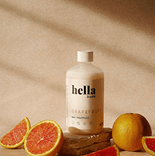
Hella
Grapefruit

Aesop
Mandarin
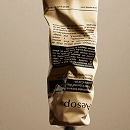
Dosage
Coffee
My essentials


Poll
Your skincare routine?