A Linktree QR code turns your link-in-bio page into something people can reach without typing a single character: point a phone camera at it, and it opens your page directly. It's a free feature on Linktree, and on most link-in-bio tools including Spotilink. Here's how to create one, what's actually free versus paid, and how to download and print it without it turning into a blurry mess.
What a Linktree QR code is and where creators use it
A QR code is just a visual encoding of a URL, in this case, your Linktree page's link. Scan it with a phone camera and it opens the same page your bio link opens, no app, no typing. If you are still deciding whether that page is the right one to point people at, start with what Linktree is and how it works.
The reason it matters for creators is the bridge it builds between offline and online:
- Product packaging. A sticker or a printed insert that scans straight to your recommendation page.
- Events and pop-ups. A booth banner or a table sign that sends visitors to your page instead of asking them to remember a handle.
- Business cards. A physical card that opens your full page rather than a single link typed by hand.
- Print collabs. A magazine feature, a flyer, or a brand's physical packaging that credits you with a scannable code instead of a URL nobody retypes.
Anywhere your audience can point a camera but can't easily copy a link, a QR code closes that gap.
How to create a QR code for your Linktree, step by step
- Log into your Linktree account. Sign in, or create a free account first if you don't have a page yet.
- Open the QR code feature. It usually sits next to your page link in the dashboard, or under a sharing or settings menu.
- Customize it if you want. Some tools let you adjust the color or drop in a small logo. Keep the contrast strong between the code and its background, a low-contrast or overly stylized code simply fails to scan.
- Download the file. Export it as a PNG for most print jobs, or an SVG if you need it to stay crisp at a large size (a banner, a shop window).
- Test it before you use it. Scan the code yourself with a phone camera from a normal reading distance. Confirm it opens the right page before it goes on packaging, a card, or a printed sign you can't easily reprint.
Skip step 5 and you risk printing hundreds of business cards with a code that scans to the wrong page, or doesn't scan at all. Always test on a real phone before you commit to print.
How to get your Linktree QR code (app and desktop)
These are the exact labels from Linktree's help centre, How to create your QR code (updated October 27, 2026, read October 28, 2026).
On desktop (linktr.ee in your browser):
- From My Linktree, select Edit.
- Select Share, then My Linktree QR code.
- Choose PNG or SVG and download the file.
- To change the color, hide the Linktree logo or add your own logo, select Customize in the same panel. Linktree reserves customization for its Starter, Pro and Premium plans; the download itself is free.
In the Linktree app (iOS or Android):
- Open the app and log in with the same details you use on the web (the app runs on iOS and Android phones, not tablets).
- Open My Linktree, then Share, then My Linktree QR code, and pick PNG or SVG. Linktree's help centre documents this one path without a separate app version, so if a label sits elsewhere in your version of the app, look for the Share option on your Linktree.
Linktree's help centre also notes that the QR code links to a unique URL rather than your username, so changing your username doesn't break codes you already printed.
Is the Linktree QR code free? What's gated
Generating and downloading a QR code is part of Linktree's free plan, no upgrade needed for the code itself. What Linktree gates behind its paid tiers is everything else on the page: removing the Linktree logo, longer analytics history, and more advanced design controls.
So the QR code isn't the limiting factor if you're deciding whether to pay. The real question is what the code points to, and whether the page behind it is doing its job.
Where Linktree's paid plans actually start to matter: Starter (€6.75/month) adds a personalized Linktree and unlimited featured links; Pro (€15/month) is where the logo comes off, with custom designs and email integrations; Premium (€32/month) adds all-time analytics, data export and social-post scheduling. Selling digital products and courses at a price through Linktree's own checkout starts at Pro: the pricing page allows free products only on Free and Starter, and its help centre says selling needs Pro or Premium. None of that changes what the QR code itself costs you, it's free at every tier. Those are the prices Linktree's pricing page showed from France, in euros, on October 28, 2026; Linktree adapts price and currency to your country, so check the page for yours before you commit to a plan.
Common mistakes creators make with their QR code
A working QR code on your screen doesn't guarantee a working QR code in the real world. The recurring issues:
- Reusing one code across every campaign. If the same QR code sits on packaging, a business card, and an event banner, you lose any sense of which one actually drives scans. If your tool supports it, treat different physical placements as different, trackable links.
- Printing it too small. A code that scans fine on a laptop screen can be too dense to read once it's shrunk onto a product label. When in doubt, size up and test the physical print, not the digital preview.
- Letting the destination page go stale. The code itself doesn't expire, but if the page behind it hasn't been updated in months, a curious scan lands on outdated recommendations. A QR code is only as good as the page it opens.
- Skipping the real-world test. A code that opens correctly in a browser preview can still fail once it's printed, at a different size, in a different material, under a different light. Always scan the finished print, not just the file.
Download and print your QR the right way
A QR code that looks fine on a screen can fail completely in print if you skip a few basics:
- Choose PNG for most print jobs, SVG for large formats. A PNG downloaded at a small size gets blurry when you blow it up for a banner or a shop window; an SVG scales without losing sharpness.
- Keep the quiet zone. The blank margin around a QR code isn't decorative, scanners use it to lock onto the pattern. Don't crop it tight or place it flush against another graphic.
- Mind the contrast. A code printed in a light color on a light background, or overlaid on a busy photo, is the single most common reason a "working" QR code fails to scan once it's printed.
- Size it to the reading distance. A code on a business card needs to work at arm's length; a code on a booth banner needs to work from several meters away, and needs to be proportionally bigger.
- Always test the printed version, not just the file on your screen. Ink absorption and paper texture can change contrast in ways a monitor doesn't show.
Linktree QR code not working? Four causes, four fixes
A code that scanned fine last month and fails today is rarely broken in itself. Check these in order:
- The code came from a generic QR generator, and you changed your username since. A third-party generator encodes the address you typed,
linktr.ee/followed by your username at the time. The code from Linktree's own Share menu links to a unique URL instead, and its help centre says it keeps working after a username change. Fix: replace the old code with the one from Share, then My Linktree QR code. - The page behind it is no longer live. A closed account or a page taken down leaves the code pointing at nothing. Fix: open the encoded address in a browser first; if that fails, the code is fine and the page is the problem.
- The print killed it. Too small for the reading distance, low contrast, or a cropped quiet zone (see the checklist above). Fix: reprint at size, dark on light, with the margin.
- You only tested it on the screen that made it. Fix: scan the final print with a second phone's native camera from the real distance. If that scans, the code works.
A free alternative: get a QR download without the paywall
If your goal is simply a QR code that opens a clean link in bio page of recommendations, you don't need to go through Linktree at all. Spotilink includes a QR code download on its free plan, no paywall, alongside a custom URL and click stats. Export it as a PNG or SVG straight from your dashboard, print it wherever you need it, and it always points to your live page.
What your QR should point to: a hand-made recommendation vitrine, not a bare link list
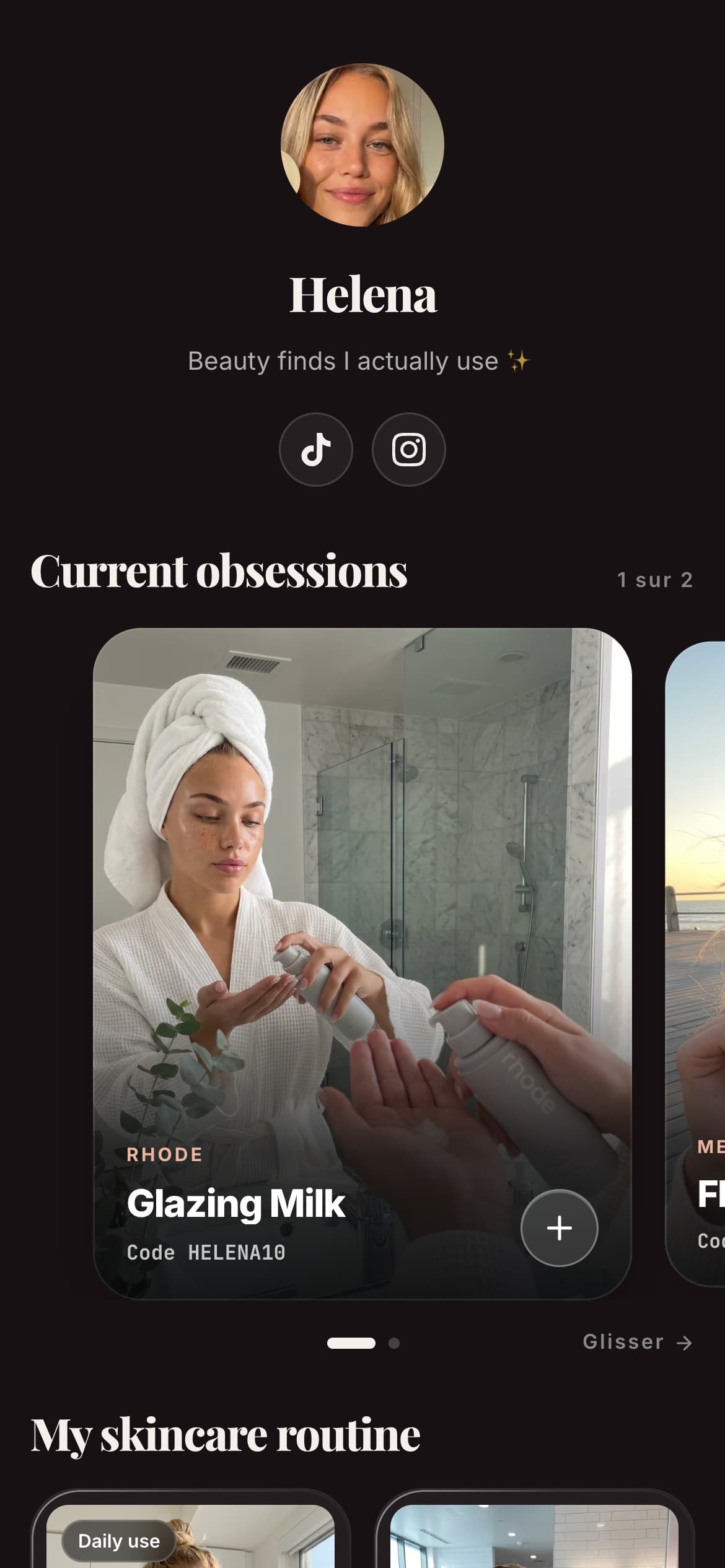
The code itself is the easy part. What actually converts a scan into a click, and a click into a sale for you, is the page behind it. A code that opens a stack of bare buttons tells a scanner nothing about why to tap through. A code that opens a page of hand-made cards, your own photo, your honest take, a promo code, and an affiliate link, no price shown, gives them a reason.

Helena
Beauty & Lifestyle
My favourite
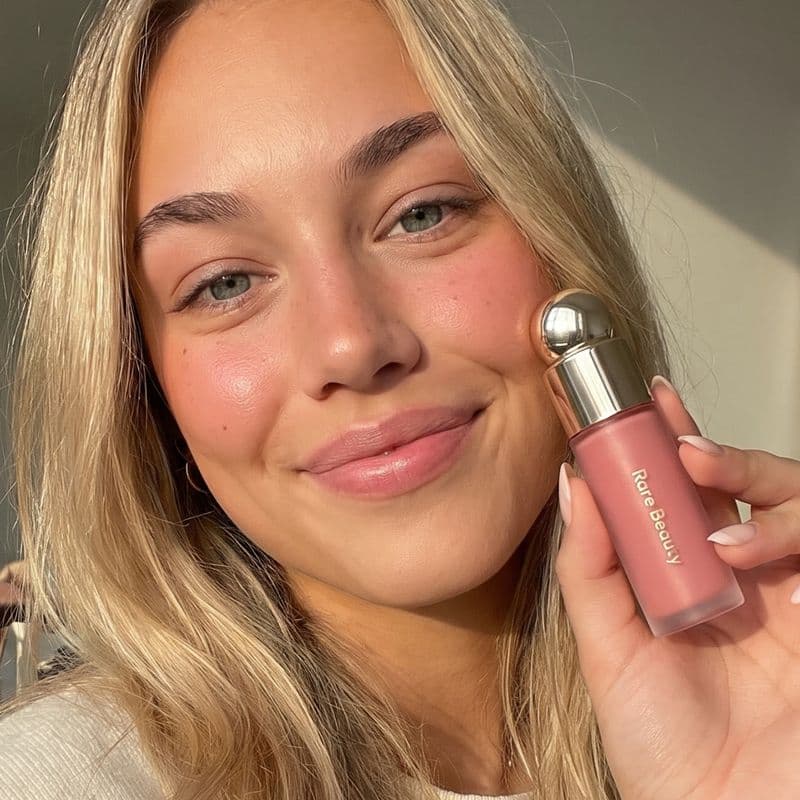
Rare Beauty
Soft Pinch Blush
« My holy grail »
My skincare routine
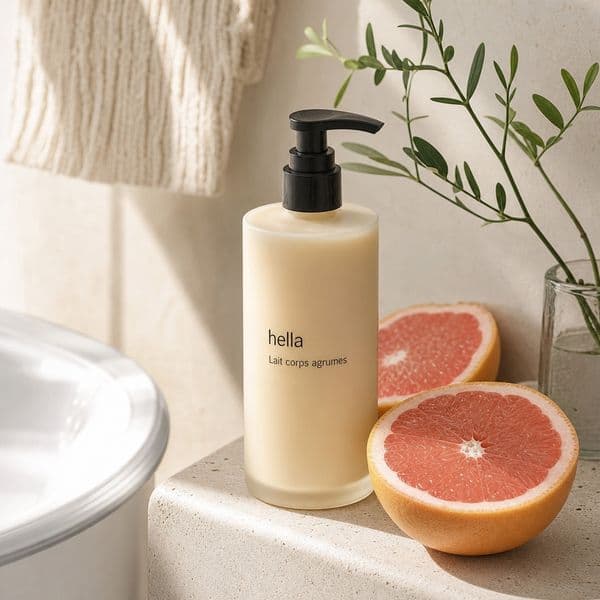
Hella
Grapefruit

Aesop
Mandarin
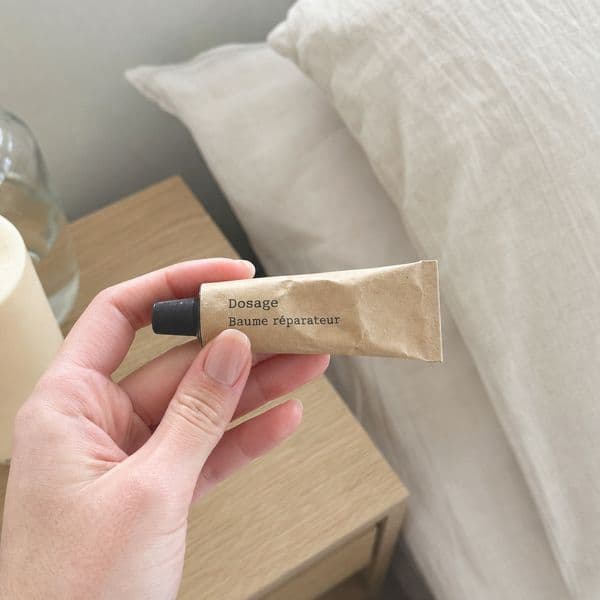
Dosage
Coffee
My essentials


Poll
Your skincare routine?
Linktree QR vs Spotilink QR: a quick, factual comparison
| Tool | Free QR download? | Commission on affiliate links | Page format | Watermark on free plan |
|---|---|---|---|---|
| SpotilinkOur tool | Yes | 0% | Hand-made recommendation cards, no price shown | Yes, "Made with Spotilink" |
| Linktree | Yes | 0% on plain affiliate links (fees apply only if you sell through Linktree's own store) | Stacked link buttons, with commerce cards layered on | Yes, Linktree branding |
Neither tool charges extra for the QR code itself, that part is a wash. The gap that actually matters for an affiliate creator is what the scan opens: a list of buttons asking your audience to guess why to click, or a page built around the same thing a good product recommendation always needed, a photo, a real opinion, and a code to copy.
In summary
A Linktree QR code is free to generate on Linktree's free plan, and so is Spotilink's. The code is the easy 80%, log in, open the QR option, download, test it before you print. The part worth spending your attention on is what the code opens: a page that gives your audience a real reason to click through to your recommendations, not just a URL translated into a pattern of squares.