
The short version, for anyone searching how to add link to TikTok bio: open your profile, tap Edit profile, paste your URL into the Website field (if it's available) or into the Bio, then tap Save. The Website field is what makes your link clickable on TikTok; below the eligibility threshold, your link stays displayed as plain text. Here's the full walkthrough, including what to do under 1,000 followers or if the link won't work.
How to add a link to your TikTok bio, step by step
- Open the TikTok app and go to your Profile (bottom right).
- Tap Edit profile, below your photo and your name.
- Find the Website field. If it appears, your account is eligible: tap it and paste your link (with
https://). - If the Website field doesn't appear yet, add your link in the Bio field (it'll stay as text for now).
- Tap Save in the top right. Your link is live.
TikTok's clickable Website field unlocks with at least 1,000 followers or a verified Business account. Below that, put your link as text in the bio, then paste the same URL into the Website field once you qualify.
Can you add a link to TikTok bio without 1,000 followers?
Yes, with one nuance: the link won't be clickable yet, but you can still put it there. Paste the URL as plain text into the Bio field (not the Website field, which stays greyed out or hidden until you're eligible). Your audience can copy that text and paste it into their browser; it converts less than a tap, but you don't lose your traffic entirely while you build your following.
Two things worth knowing about the threshold:
- Per TikTok's help center, the link in bio needs at least 1,000 followers or a verified Business account.
- A verified Business account is therefore the other way in: it is free to switch, and you don't need the 1,000 followers once the account is verified.
Once you cross the threshold, the Website field appears in Edit profile, and you paste the exact same URL you were already using as text. Nothing else changes, your bio, your audience, your link, except that it is now clickable.
Why the Website field doesn't appear
If you don't see the Website field in "Edit profile", it's usually a matter of eligibility. TikTok reserves the clickable bio link for accounts that meet its conditions: at least 1,000 followers or a verified Business account. Check directly in your app that your account meets one of the two.
While you wait to qualify, write your link as text in the bio. It won't be clickable, but your audience can copy it. If you'd rather not wait, a verified Business account is the other route (see the trade-off below).
How to switch to a Pro account on TikTok (free)
If you are under 1,000 followers and want the clickable link, here's how to switch to a Business (pro) account. It takes under a minute and costs nothing:
- Go to your Profile, then tap the menu (three lines, top right).
- Open Settings and privacy.
- Tap Account, then Switch to Business Account.
- Choose the category that fits you best (fashion, beauty, education, and so on).
- Confirm. Your account is now a Business account, at no cost. The link still needs the account to be verified.
Switching is a trade-off. A verified Business account gets you the clickable Website field under 1,000 followers, but TikTok's Creator Rewards terms exclude Business accounts, so switching makes you ineligible for that monetization program (outside the US, check the terms for your country in the app). If you plan to earn from Creator Rewards later, stay on a personal account and paste the link as plain text until you reach 1,000 followers.
TikTok bio link not working? Quick fixes
If you do have the Website field and the link still isn't behaving, work through this list before assuming something's broken:
| Symptom | Likely cause | Fix |
|---|---|---|
| No Website field at all | Account not yet eligible | Keep posting, add the link as text meanwhile, or use a verified Business account |
| Field is there but greyed out | App needs an update | Update the TikTok app, then retry |
| Link shows but isn't tappable | Missing https:// in the URL | Re-paste the full URL, including the protocol |
| Link opens the wrong page | Old URL cached in the field | Clear the field fully, then paste the current one |
| Works on one phone, not the other | Temporary app-side glitch | Log out and back in, or reinstall the app |
If none of that fixes it, the account itself likely isn't eligible yet, the most common cause by far.
Sharing your link another way: comment, story, another network
As long as the Website field isn't unlocked, you can still direct your audience:
- In a pinned comment under your videos: write your link (as text) and pin the comment to the top.
- In a story: mention your link and invite people to copy it or go through your bio.
- Via a linked network: TikTok lets you display your Instagram and YouTube icons on your profile. You can then point to your Instagram, where your link in bio is clickable.
These workarounds convert less well than a real clickable link, but they keep you from losing all your traffic while you wait for eligibility.
The trap: you only get ONE link
TikTok only lets you put a single link in your bio. If you paste your Amazon link, your Instagram account or your latest YouTube video, you have to choose, and you lose all the others. The solution is to point that single link to a page that gathers everything: your recommendations, your promo codes, your socials.
That's exactly the role of a link-in-bio page. You create your free link-in-bio page with Spotilink, tidy your recommendation cards into it that you compose by hand (your photo, your take, your promo code, your affiliate link), and paste that single URL into your TikTok Website field. Result: a single clickable link in your TikTok bio that opens your whole storefront, so more qualified clicks to your affiliate links, and more commissions. For the details on sections and layout, follow the link-in-bio guide.

Helena Yung
Beauty & Lifestyle
My favourite

Rare Beauty
Soft Pinch Blush
« My holy grail »
My skincare routine
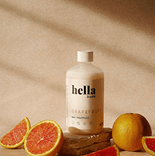
Hella
Grapefruit
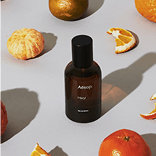
Aesop
Mandarin
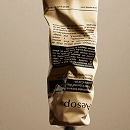
Dosage
Coffee
My essentials


Poll
Your skincare routine?
Putting several links in a TikTok bio: the real solution
You have affiliate links, an Instagram, a store? No problem, gather them all behind your single link. Spotilink lets you create your link-in-bio page in 15 min: recommendation cards you compose by hand (your photo, your take, your promo code, your affiliate link), tidied into sections. 0% commission, you keep 100% of your affiliate income, and it's free up to 10 cards.
-10%Rare Beauty
Soft Pinch Blush
“My must-have blush: one swipe and it lasts all day.”
Ready to get going? Create your free Spotilink page in a few minutes, add your first cards, then paste your single link into your TikTok bio.
TikTok or Instagram: the differences to know
The principle is identical, a single link in the bio, but two nuances matter:
- Eligibility: Instagram allows the clickable link from the start, on any account. TikTok conditions it (at least 1,000 followers or a verified Business account).
- Wording and placement: both speak of a "Website" field, but its place in the menus differs a little from one app to the other.
If you post on both, the trick is to point the same link everywhere: your audience builds the habit of a single address, whatever the network.
And on Instagram?
The logic is very close, with a few differences in the menus. We explain it all in how to put a link in your Instagram bio, handy if you post on both platforms and want the same link everywhere.