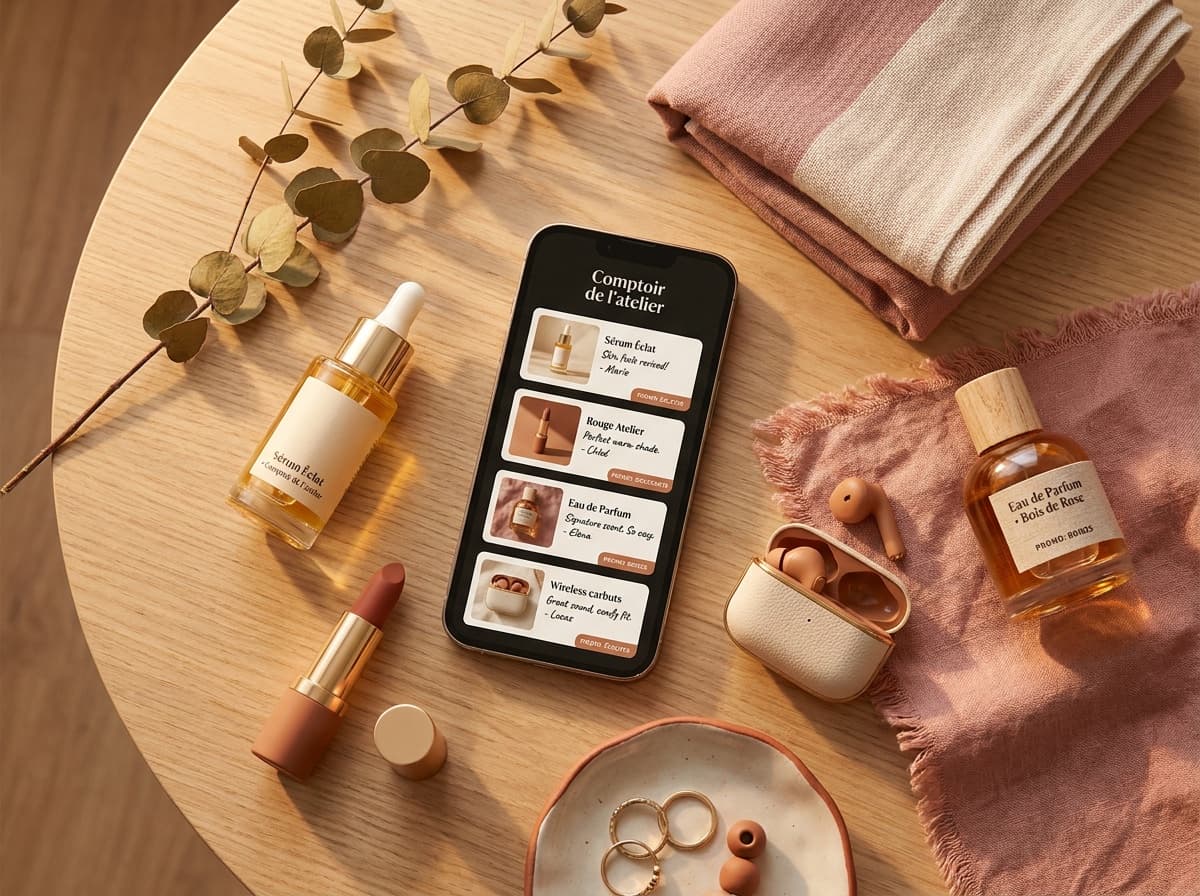
The link in bio meaning is simple: the clickable link you place in your biography on Instagram or TikTok. It's the only place, under your name and description, where you can put a link your audience can tap to leave the app, hence the phrase "the link is in the bio".
Definition of the link in bio
To sum up: the link in bio is the single clickable link allowed in your profile biography. An Instagram link in bio and a TikTok link in bio work the same way, one field, one link, placed under your description. The term exists because these networks lock down links everywhere else: your bio is the only exit door to an external page.
Why the phrase exists
On Instagram and TikTok, you can't put a clickable link in a post or a caption. The only field where a link truly works is your biography. The phrase was born on Instagram for exactly that reason: because no link worked anywhere else, creators got into the habit of sending their audience to the one place that accepts one, their bio. So when a creator says "link in bio" in a story or a video, they're pointing you to that single link on their profile. From there came the famous "link in my bio", repeated in captions, stories and videos, until the formula became a verbal reflex, you now hear it even on networks where links work differently.
The problem: one link for everything. Your recommendations, your promo codes, your latest video, your collabs… everything has to fit behind that one link. That's why creators don't put a raw link there, but a link-in-bio page that gathers everything in one place. We break down the whole mechanism in the link-in-bio guide.
The link in bio isn't limited to Instagram
We often associate it with Instagram, but the same limited-link-field pattern shows up across most networks:
| Platform | Where the link lives | Multiple links natively? |
|---|---|---|
| "Link" field under the bio | Up to 5, but only 1 shown; rest hidden behind a "+" | |
| TikTok | Link field in the bio (account-dependent) | No, one link |
| "Website" field in "About" | No, one link | |
| YouTube | Channel description, shown on the banner | Yes, but buried below the fold |
| X (Twitter) | "Website" field under the bio | No, one link |
The principle is the same everywhere: a limited space to place a clickable link that takes the visitor out of the app. Hence the value of pointing that link to a page that gathers everything, rather than to a single destination.
How to find someone's link in bio
You come across them every day without necessarily naming them: under a beauty influencer's name, the little link leading to their products; on a YouTuber's profile, the link to their store; in a brand's bio, the address of its site. Each time it's the same mechanism, a single link placed in the profile, serving as the entry point to everything else.
So if you landed here because a creator said "link in bio" and you couldn't find it, here's where to look. It's a slightly different job depending on the app.
On Instagram. Tap the creator's name or profile picture to open their profile, then read the block under their username. The link sits just below the bio text, in blue or as a small globe icon. If the creator added several, you'll see the first one plus a "+" to expand the rest. Tap it and the page opens in Instagram's in-app browser.
On TikTok. Same idea: open the profile, and the link appears under the bio, above the video grid. Not every account has one, because TikTok gates the clickable link behind a Business account or a follower threshold, so a smaller creator may simply not have the field yet.
Nothing there? Three likely reasons, in order of how often they happen:
- The creator wrote the URL in the bio text instead of the link field. It shows as grey text you can't tap. Copy it by hand and paste it into your browser.
- They haven't set one. The phrase is a reflex, and plenty of people say it out of habit without ever filling the field.
- You're on desktop. Profiles render differently at instagram.com, and the link can sit higher up, next to the follower counts rather than under the bio.
Worth knowing as a visitor: opening a link from Instagram or TikTok keeps you in that app's built-in browser, not Safari or Chrome. If a page behaves oddly, or you want to keep the tab, use the "..." menu to open it in your real browser instead.
Does the link in bio tell you who clicked?
A common worry, and the answer is no. Instagram and TikTok never reveal which individual tapped your link in bio: there's no list of names. What you can get is the number of clicks, and only if your link points to a page that counts them. A plain link shows you nothing; a link-in-bio page with built-in stats shows how many people clicked and which products drew the most taps, anonymously, as aggregate numbers, never personal identities. That's the difference between guessing what your audience wants and actually knowing. For the full picture, including whether the person you clicked can tell it was you, see does Instagram tell you who clicked your bio link.
"Link in bio" is a phrase with an expiry date
Worth knowing if you write captions: the expression is a workaround, not a feature, and platforms keep chipping at it. Instagram now allows several links rather than one, TikTok has loosened its rules over time, and each change moves the goalposts slightly.
What doesn't move is the underlying constraint: your content lives where links don't work. Whatever the field is called next year, posts and videos will still be the place people discover you, and the profile will still be the only reliable place to send them onward. So the phrase may fade, but the job it describes won't.
How to make it work for your recommendations
A link in bio that points to a single destination wastes your clicks. To turn it into a real lever, aim for a recommendation page:
- Create one card per product you recommend: your photo, your honest take, your promo code, your affiliate link.
- Tidy your cards into sections (latest release, your products, your essentials) so the visitor finds their way.
- Put that page's address in your bio, a single link, but one that opens your whole storefront.
 -10%
-10%Rare Beauty
Soft Pinch Blush
“My must-have blush: one swipe and it lasts all day.”
A raw link in the bio converts poorly: the visitor doesn't know what to click. A page of cards, on the other hand, shows your recs at a glance and multiplies qualified clicks to the merchants.
This is precisely the role of Spotilink, your link-in-bio page: you compose your cards manually, you organize them, and everything lives behind your single link, with no commission on your affiliate links (5% + fees for collabs via Spotilink secure payment).
Taking action
Now that the meaning is clear, the next step is to set it up on your profile. Whether you're aiming for an Instagram link in bio or a TikTok link in bio, the logic stays the same: we explain exactly where to paste your link in how to add a link in bio on Instagram.